|
|
Important notice!
VanDerLee.com is no longer selling plug-ins or offering support.
You can download the fullly unlocked versions of all previously sold plug-ins for free.
|
|
Features
Technical overview
| Topic |
Details |
| Quality |
- High precision internal calculations at 16-bit quality or better at
all times.
- True, mathematically correct anti-aliasing for built-in shapes.
- Specialized anti-aliasing algorithms for custom shapes. Adapts to
each shape's unique properties.
- Anti-alias can be disabled for printing press output.
|
| User interface |
- Resizable to full screen. Size remembered between sessions.
- All controls easily accessible from a single window.
- Partially tabbed interface so you only see the options you use.
- Shortcut keys for the most common options.
|
| Shapes |
- Includes three fully configurable built-in shapes. Correct
mathematical models for perfect rendering quality at any size or
resolution.
- Supports Bitmap, GIF, IFF, Interlaced Bitmap, JPEG, JPEG 2000,
JPEG Network Graphics, Macintosh Icon, PaintShop Pro PSP, PhotoCD, Photoshop™ PSD,
PNG, Softimage PIC, TIFF, Targa, Windows™ Cursor & Icon and PCX
file formats as custom shapes.
- Automatically calculates base size based on each individual shape to
maintain consistent overall brightness.
- Smooth partial transparency possible in custom shapes.
- Mirror custom shapes randomly, every other shape, none or all.
- Align custom shapes to the grid rotation.
|
| Preview |
- Real-time updated whilst changing settings. Can be disabled for
performance.
- Scales to image size. Designs created for a small image scale to
large images.
- Accurate and reliable at any zoom level.
- Optional automatic zoom-to-fit.
|
| Image modes |
- Supports 8-bit and 16-bit
color-depth images.
- Supports RGB, grayscale and duotone
color-modes for all image depths.
- Supports any image resolution (dependant on memory requirements).
|
| Help |
- Tooltips when mouse over controls for quick information on the
control.
- Illustrated help system using Windows-standard HTML Help format,
accessible from within the plug-in.
|
| Pre-processing |
- Change generic image properties inside Halftone™ for improved
workflow.
- Familiar brightness/contrast controls.
- Smoothing to eliminate "popping". Scales to image dimensions to
enable conceptualization.
- Invert image to print bright dots instead of dark dots.
|
| Placement |
- Fine-grained control over all placement options.
- Placement on triangle, square or hexagon grids.
- Rotation of entire grid and individual shapes.
- Position shifting along horizontal and vertical axes.
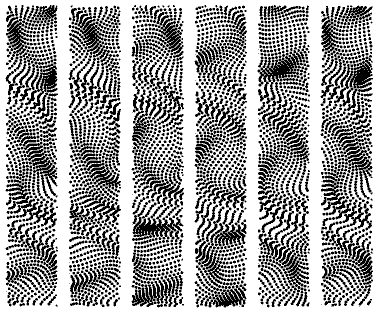
- Radial waves along circles.
- Orthogonal waves along horizontal and vertical axes.
- Spiral distortion.
- Randomized position, rotation and mirroring for individual shapes.
|
| Scaling |
- Fine-grained control over all scale options.
- Set scale of grid based on image DPI (Dots Per Inch) or
user-defined.
- Scale according to LPI (Lines Per Inch) setting for predictable
printing results.
- Set minimum and maximum dot sizes. Use negative values to achieve
size "cropping".
|
| Color |
- User-configurable color for both foreground and background possible.
- Quick access to graphics application's current foreground and
background colors.
- Swap colors or quickly set default black/white colors using buttons.
- Set background transparent (for non-background layers only) or
source image for see-through effects and complex post-processing
effects.
- Opacity of foreground color configurable.
- Optional automatic size compensation for foreground opacity.
|
System requirements
- Operating system: Windows 95 or above (including all versions of NT, 2000+, XP,
Vista™, 7, 8 and 10).
- Processor: Intel, AMD of VIA x86 compatible,
80486 or newer.
- Memory: 128MB or more. Recommended at least 1GB.
- Harddisk: 20MB of free disk space or more. Additional disk space
required if installed for multiple graphics applications.
- Screen color-depth: 24 bit or better.
- Screen resolution: 1024 × 768 or higher.
Our plug-ins work with all major graphics applications for Windows.
- Adobe™ Photoshop, Photoshop Elements, ImageReady, Illustrator™,
PhotoDeLuxe and After Effects™.
- Corel™ Paint Shop Pro™ (formerly by JASC™), Painter™ (formerly by
MetaCreations), PhotoPaint and Bryce.
- Macromedia Freehand and Fireworks™
- ACD Systems Canvas™ (formerly by Deneba™) and Photo Editor
- ULead PhotoImpact™ and GIF Animator
- Serif PhotoPlus
- Xara
- Satori PhotoXL
- Right Hemisphere Deep Paint
- Equilibrium DeBabelizer Pro
- ...and many others. Click here for
a full list of compatible graphics applications.
|
|
|
|