
The Essence of Alpha
Your graphics application lets you do all you want to the colors of an image. But why doesn't it allow the same type of flexibility with the transparency? Surely being able to decide whether a color can be seen at all is at least as important as being able to decide what that color should look like.
AlphaToys™ is a set of 16 filters that let you work on the transparency of images; the Alpha channel.
Sure, your graphics application will probably allow you to change parts of the transparency in your image using an eraser tool, and you can probably delete selections. But can you quickly convert from color information to transparency. Can you easily blur the transparency? Can you conveniently sharpen the transparent edges without having to resort to a longwinded process? And if you do, can you go back and tweak it afterwards without having to go through all those steps again?
AlphaToys provides you the tools to do so!
 Full control
The AlphaToys set of filter plug-ins is a complete set of tools for
alpha-channel manipulation. 16 filters provide you with all the
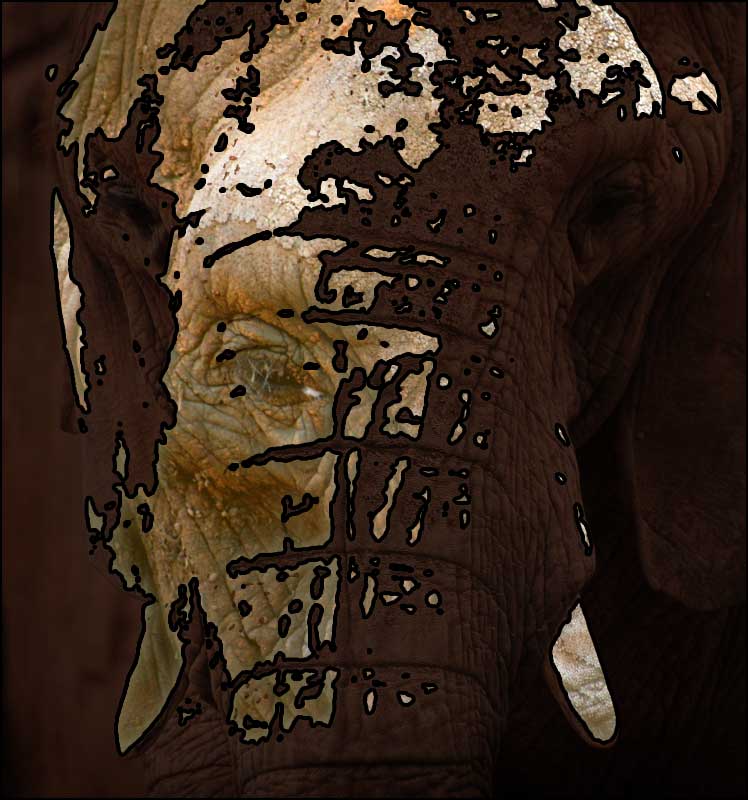
necessary effects to do what you need. Using the "Posterize" filter is an ideal way to create cartoon shading. Because the "Posterize" filter lets you separate intensity from hue and saturation, it will in fact do so much better than normal color-only posterizing. A "Noise" filters applies random noise to the alpha channel With the level of control offered by alpha processing, this noise can be used much more flexibly than color-only noise. We've even included a "Custom" filter you can use to create your own convolution filters. Use the "Custom" filter for anything from sharpening, blurring to edge detection and embossing. The AlphaToys "Custom" filter can load and save filters created using the Photoshop™ color-only Custom filter. AlphaToys puts you in full control of your images again. Not just by changing transparency, but by changing the way you work. |
 Smart Objects, actions, scripting and events.
AlphaToys has full support for Smart Objects. Smart Objects are a way to
apply filters to images and change the filter settings at a later stage,
even from a old image file. If you need to apply more than one filter to
an image layer, Smart Objects saves you time and keeps you in a creative
flow without having to worry about technicalities.
You can record any of the AlphaToys filters in actions or macros and
apply them automatically, without user intervention. If you ever find
yourself applying the same set of filters more than a few times, the
ability for AlphaToys to be placed into actions will be a real
time-saver. |
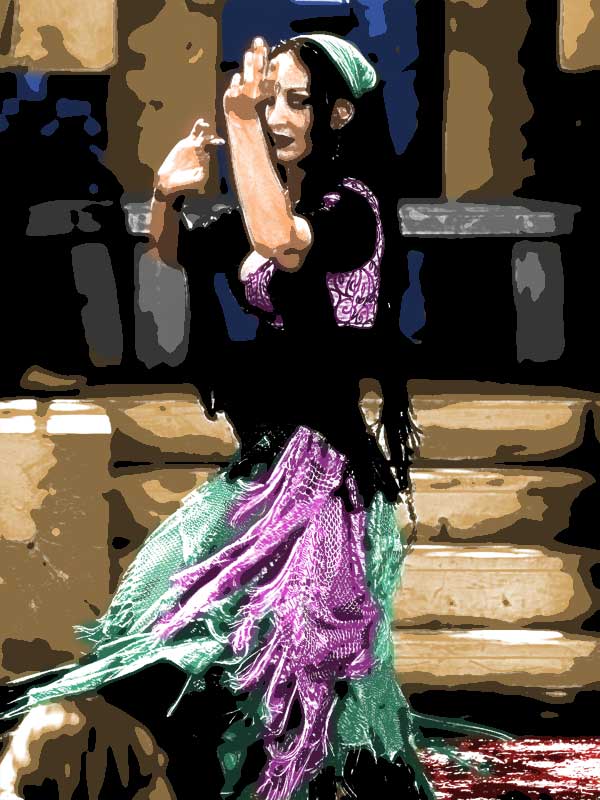 Be creative.Using AlphaToys, creating your own photographic filter effects has never been easier. Want to add a warm glow? Use the "Bright to Alpha" filter on a duplicate layer and apply some Gaussian blur. Need a soft focus? Use the "Bright to Alpha White" filter. A white net filter can be created using the same filter with a different mixing mode and for a black net filter, use "Dark to Alpha Black". For something really special, use any of these filters and set the color yourself. AlphaToys are not just for changing existing images, you can also use filters to prepare an image as the basis for new creative works. The "Fill" AlphaToys filter lets you set the transparency level of an entire image layer at once. Apply some "Noise" to roughen it up a little and add a splash of "Gaussian blur" to make it bumpy.
One less obvious aspect of AlphaToys is it's ability to process textures
for use in games or virtual environments. Many games don't allow you to
have transparency information in your textures in the conventional way.
They require you to separate the transparency from the color data and
either supply the images separately or in special layers. For example,
the TGA file format requires a special non-standard channel explicitly
labeled "Alpha". |
 Work faster
AlphaToys filters are easy to use. Half of the filters are so easy, they
don't even have a user interface! The other filters each have
their own simple window with only the sliders, checkboxes and buttons
you need. Compared to similar color-only filters in graphics applications, AlphaToys filters will finish on par and sometimes even faster. AlphaToys support multithreading in the "Gaussian blur", "Unsharp mask" and "Custom" filters; if you have multiple processors or multi-core processors, AlphaToys filters are usually faster than your own graphics application. If you enjoy taking coffee-breaks, don't use AlphaToys! |
Visit these links for more information:
Download and try
AlphaToys now!
See screenshots
of AlphaToys in action.
"Before and after"
examples of what you can do with AlphaToys.
Technical
details and system requirements.